The Step-by-Step Robot a personalized book with your child as the hero
A box robot, a row of arrow cards and one sneaky little bug
At the school science club our young robot builder turns recycled boxes into a robot with bottle-cap eyes and a pompom antenna, then programs it with arrow buttons to cross a table maze. On the first try it turns the wrong way and crashes into a wall. Is it broken? No: a robot does exactly what it is told, step by step. With arrow cards, patient testing and one clever look from the robot's point of view, our hero finds the bug, wins the maze at the club show and helps a friend fix their robot too.
What your child learns
Small lessons inside the story, to talk about together after reading.
A program is a list of steps in order
Our hero learns that one press is one step, and that the robot does exactly what it is told, in exactly that order. Big problems are solved one small step at a time.
Planning before rushing
Pressing a long string of buttons from memory doesn’t work. Laying out arrow cards first and following the route with a finger turns a muddle into a clear plan.
Finding the mistake by testing
When the robot bumps into a wall, our hero thinks it is broken. Testing a few steps at a time shows the real mistake: when the robot faces you, its right is your left.
Helping a friend check, step by step
When a friend’s robot keeps spinning, our hero helps read the cards and asks whether the robot was cleared. Sharing what you have learned helps everyone finish.
Pages from the story
Pages from the story
Illustrations from this story. Your book is drawn with your own child as the hero, in this story's colours.
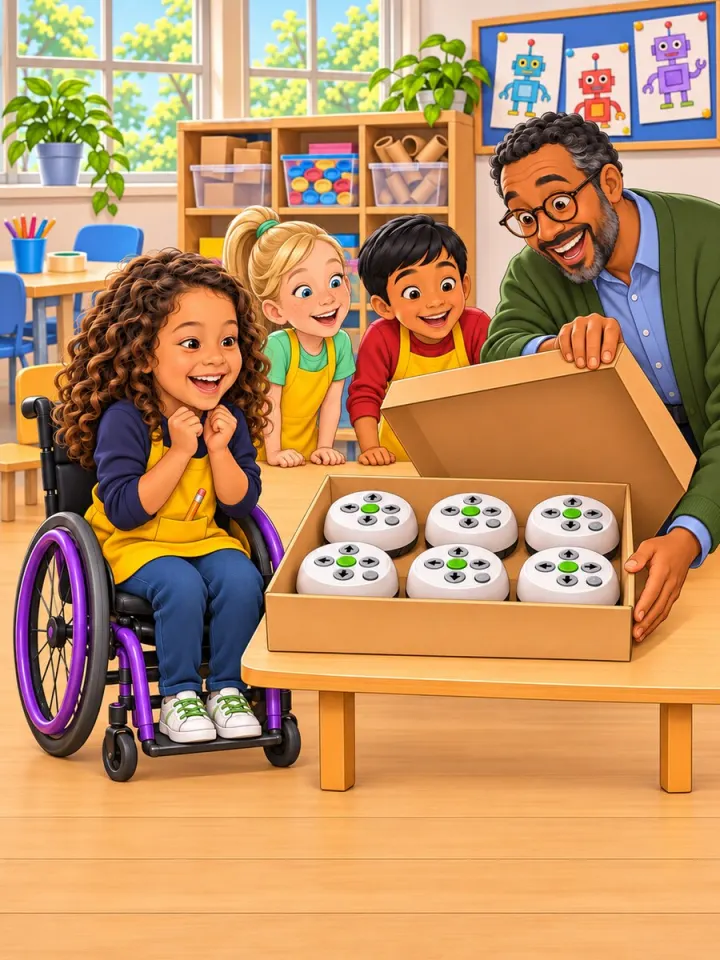
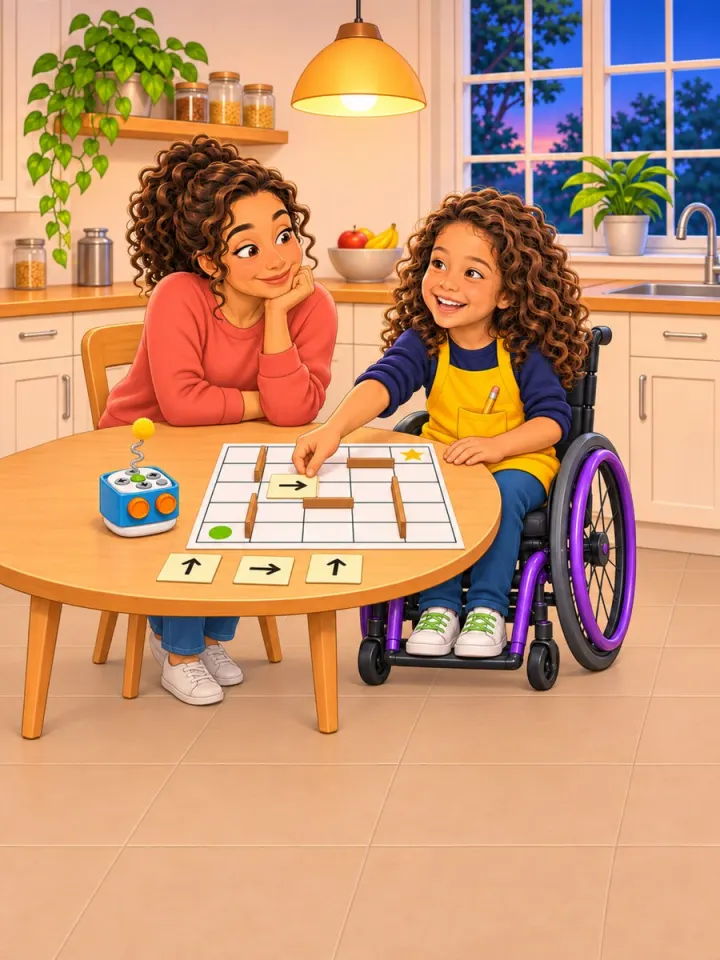
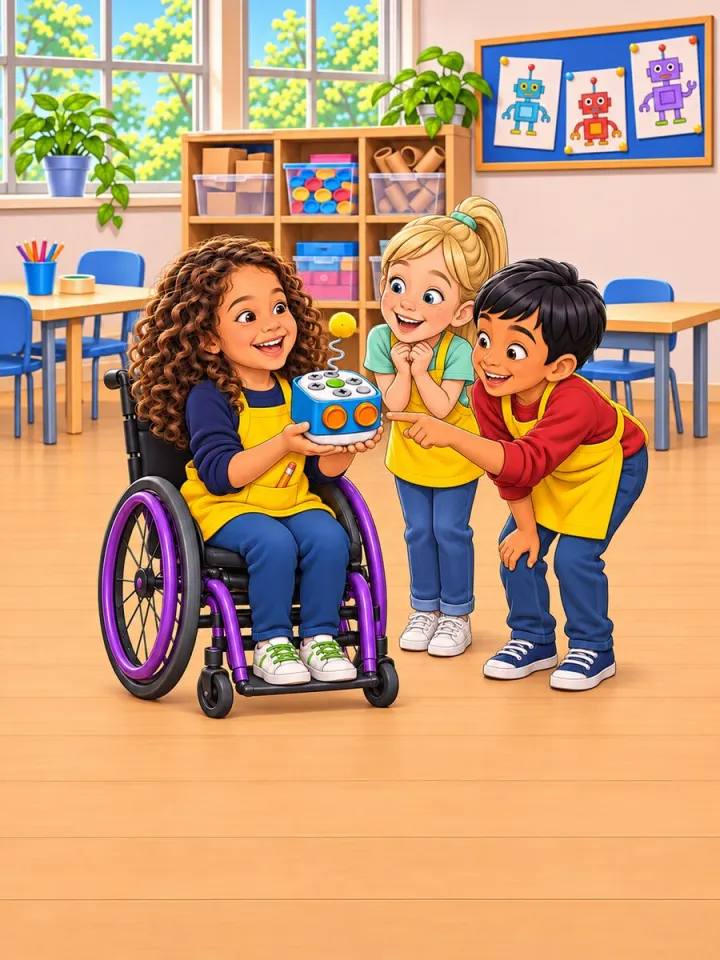
The Step-by-Step Robot: the full story
On Wednesdays, after the last bell, the science room at school became the science club. The tables were pushed together, the shelves were full of empty boxes, bottle caps and paper tubes. Sasha liked it more than anywhere else in the whole school.
This Wednesday, Ms Rivera, the science club leader, carried in a big box and set it down very gently.
"Today," she said, "we are building robots."
She lifted the lid. Inside sat a row of small white floor robots, round and smooth, each one the size of a bread roll. On top of every robot were little buttons: an arrow pointing forward, an arrow pointing back, an arrow for turn left, an arrow for turn right, a round green button for go and a grey button for clear.
"On Friday we have the club show," said Ms Rivera. "Each of you will build a robot body, and then you will program a robot to cross the table maze. Families are invited."
Sasha's mouth fell open. A real robot!
First came the body. Ms Rivera used the scissors to cut a neat square hole in the top of a small box, so that the arrow buttons could peep through, and she clicked the batteries into Sasha's robot, because scissors and batteries are a grown-up's job. Sasha painted the box sky blue, then pressed two orange bottle caps onto the front with a glue stick. They looked exactly like eyes. A pipe cleaner twisted into a curly antenna, with a fluffy yellow pompom on the end, finished it off.
"What is your robot called?" asked Ms Rivera.
Sasha did not even have to think. "Bolt."
The table maze was a big square of white card ruled into squares, each square exactly as long as one robot step. Strips of cardboard stood up as walls. One corner had a green dot for the start, and the far corner had a shining gold star for the finish.
"Start small," said Ms Rivera. "Try two steps."
Sasha set Bolt on the green dot, pressed the forward arrow once, pressed it again, and then pressed go. Bolt hummed, rolled forward exactly one square, rolled forward exactly one more square, stopped, and went beep.
Sasha laughed out loud and clapped. "It counted!"
"One press is one step," said Ms Rivera. "And a list of steps in order is called a program."
Sasha looked at the maze. It did not look so hard.
Without stopping to plan, Sasha pressed button after button, as fast as possible, for the whole maze at once. Then go.
Bolt rolled forward. Bolt turned. Bolt rolled forward again, turned the wrong way, and bumped nose-first into a cardboard wall. Then it trundled toward the table edge, until Ms Rivera scooped it up just in time.
A few children giggled, not unkindly. Sasha's cheeks went hot. Sasha folded both arms and sat back.
"Bolt is broken."
Ms Rivera knelt down beside Sasha so their eyes were level. "Bolt isn't broken," she said quietly. "A robot does exactly what you tell it. Exactly what you pressed, in exactly that order. If it goes the wrong way, there is a mistake somewhere in the steps. Programmers have a name for that kind of mistake. They call it a bug."
"A bug," Sasha repeated, with one finger on the chin.
"And programmers find bugs by testing," said Ms Rivera. "A few steps at a time."
She put a pile of small paper cards on the table. Each card had an arrow drawn on it.
This time Sasha did not touch a single button. Sasha laid the arrow cards along the route instead, one card on every square, one card for every step. Then Sasha's finger walked the maze slowly, square by square, reading the cards like a path of footprints. Forward, forward, turn, forward, turn.
Then it was time to test. Sasha pressed clear, so that Bolt forgot everything, and programmed only the first three steps. Go. Bolt did them perfectly. Clear again, and this time the first five steps. Go. Perfect again. Clear, and seven steps.
At the third turn Bolt stopped, and Sasha leaned in. The robot was facing Sasha now, bottle-cap eyes looking straight back across the maze.
"Oh!" Sasha held up the arrow card. "When Bolt is facing me, Bolt's right is my left!"
The card pointed left. From Bolt's point of view it should point right. Sasha turned the card round, cleared the robot, pressed every step again and pressed go. Bolt rolled all the way to the end of the test.
"Bug found," said Ms Rivera, smiling.
On Friday the school hall was full of families, and Grandpa was waving from the front row.
When it was Sasha's turn, Sasha set Bolt on the green dot and pressed clear first. Then, with the arrow cards laid out as a guide, Sasha pressed every step carefully, one at a time, and pressed go.
Bolt rolled. Bolt turned. Bolt rolled and turned and rolled, past every wall, round the tricky third turn, and stopped exactly on the gold star.
The whole hall cheered. Grandpa cheered loudest of all.
But at the next table, Jonah's robot was spinning round and round in circles. Jonah looked ready to cry.
Sasha went over and read Jonah's cards with him, step by step. Every card was right.
"Did you press clear first?" asked Sasha.
Jonah's eyes went wide. He hadn't. His robot still remembered all the old steps from before. They pressed clear together, entered the steps again and pressed go, and Jonah's robot crossed the maze too.
Ms Rivera put a hand on each of their shoulders. "That," she said, "is what real programmers do. They plan, they test, they find the bugs, and they help each other."
Sasha looked at Bolt, sitting on the gold star with its pompom antenna wobbling, and smiled. Big problems, it turned out, were solved one small step at a time.
Parts for your family
Add these people to the book and they play these parts, with their own faces. Anyone else you add joins the story as themselves, beside the hero.
- The Science Club Leader — suits: Mother, Father, Grandmother, Grandfather, Aunt, Uncle, Someone else
- The Club Friend — suits: Brother or sister, Cousin, Friend
- The Family Grown-up — suits: Mother, Father, Grandmother, Grandfather, Aunt, Uncle, Someone else